On this page
1. How to Install the APK
Blip SMS is distributed as an APK file (Android application package) directly from our website. This is because the app requires SMS permissions that the Google Play Store restricts. Here's how to install it:
Enter your email on the home page. We'll send you an email with the APK download link.
Before you can install the APK, you need to allow your phone to install apps from sources other than the Play Store.
Android 8.0 and newer:
- Open your phone's Settings.
- Go to Apps & notifications (or Apps).
- Tap Special app access (or Advanced).
- Tap Install unknown apps.
- Find your browser (e.g., Chrome) and toggle Allow from this source on.
Android 7.0 and older:
- Open Settings → Security.
- Toggle on Unknown sources.
- Confirm the warning dialog.
- Open the download link from your email in your phone's browser.
- Tap the downloaded APK file (check your notification bar or Downloads folder).
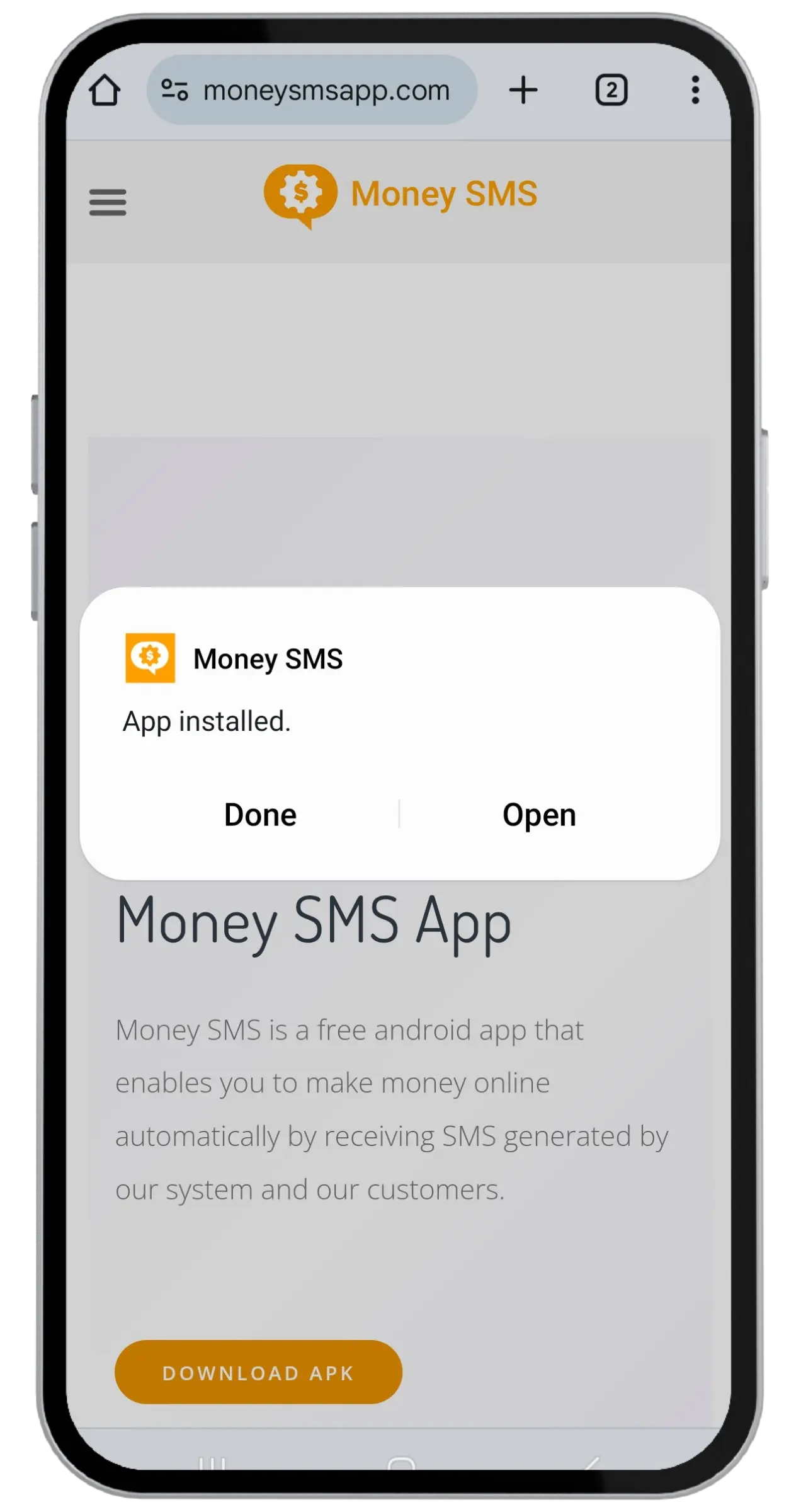
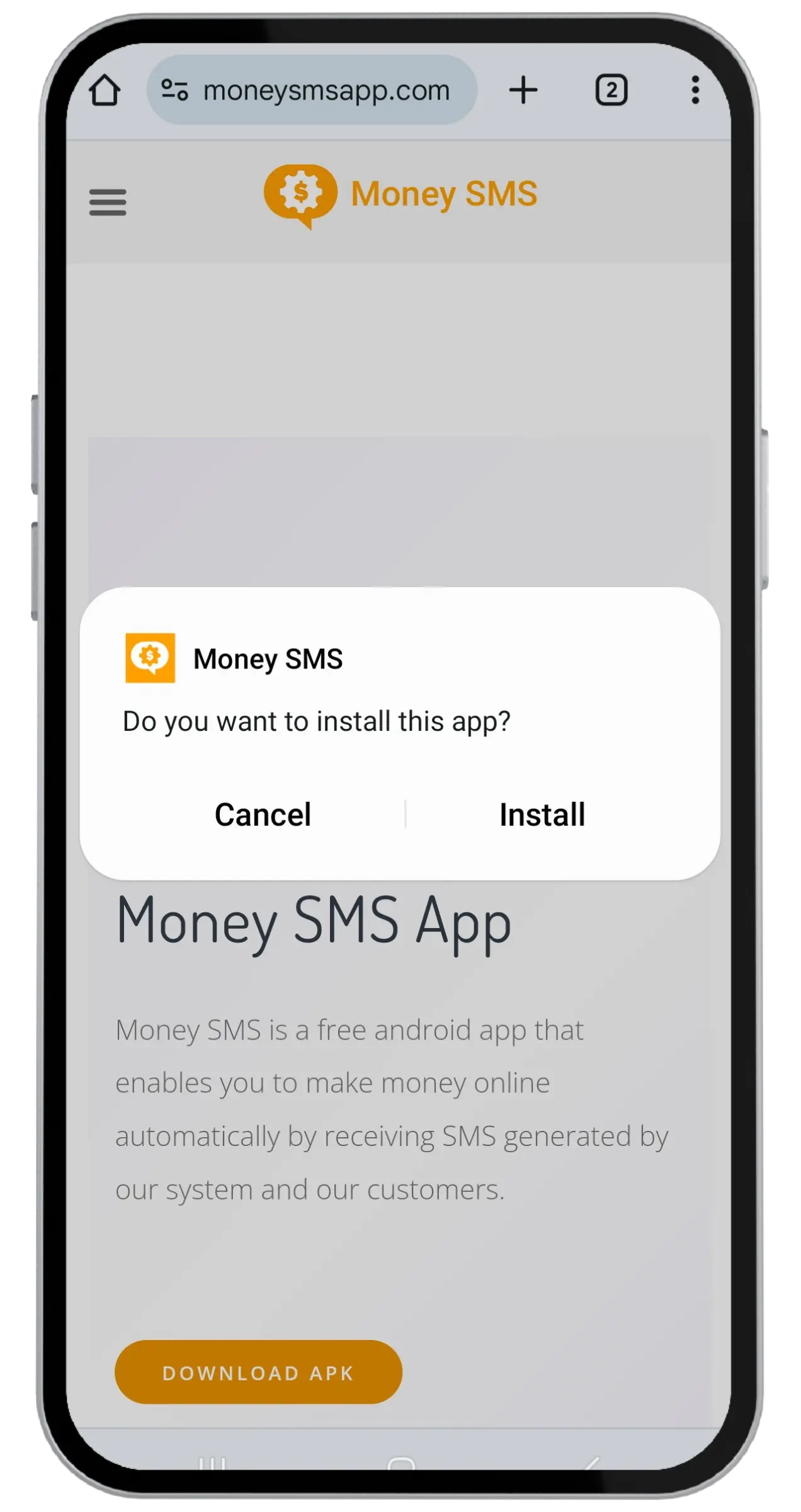
- Tap Install when prompted.
- Once installed, tap Open to launch Blip SMS.
2. Handling Google Play Protect Warnings
When installing the APK, Google Play Protect may show a warning like "Blocked by Play Protect" or "Unknown developer". This is a false positive — it happens for all apps installed outside the Play Store, not because the app is harmful.
If you see "Blocked by Play Protect":
- Tap More details (or "Install anyway").
- Tap Install anyway to proceed.
If you see "Send app for scanning?":
- You can tap Don't send — this is optional.
- The app will install normally.
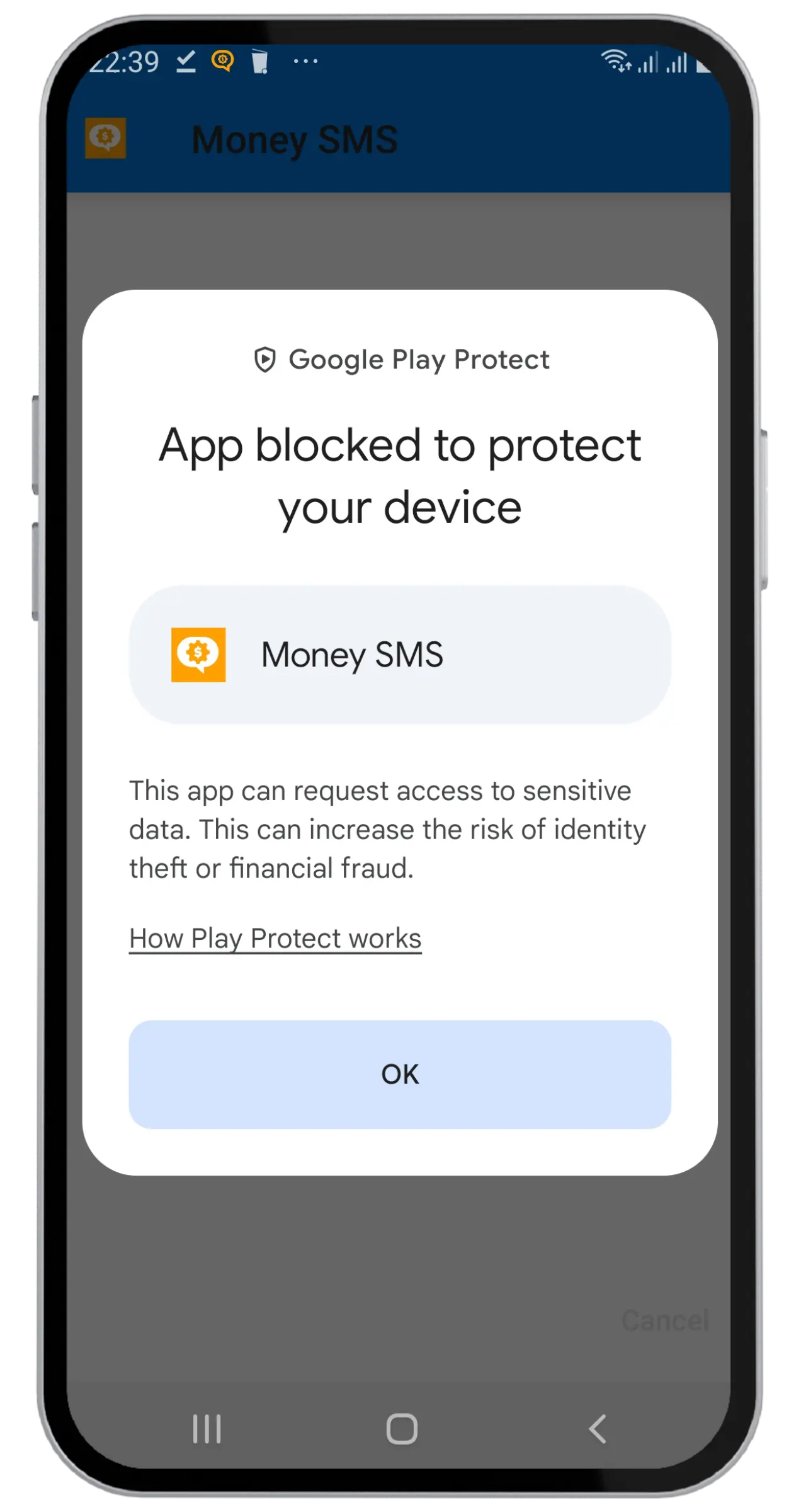
Why does this happen? Google Play Protect flags any APK not distributed through the Play Store. Blip SMS is safe — it's developed by TelQ Telecom GmbH, a registered German telecom company, and has been used by over 430,000 users worldwide.
3. How to Register & Verify Your Account
Launch Blip SMS after installation. You'll see the registration screen.
- Enter your email address.
- Enter your phone number (with country code).
- Create a password.
- Tap Register.
You'll receive a verification SMS. The app will detect it automatically. If auto-detection fails, enter the verification code manually.
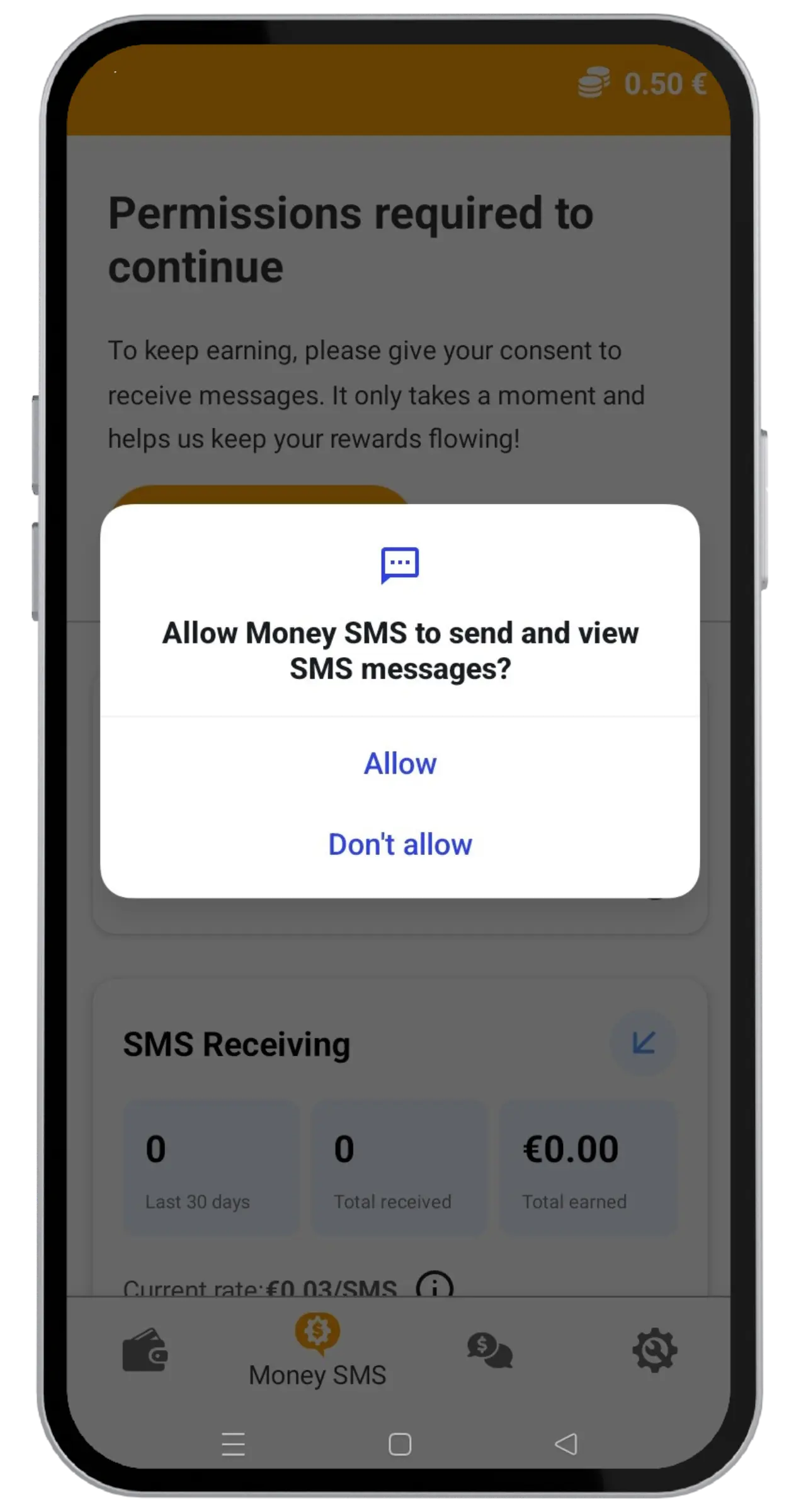
The app will ask for SMS permissions. You must grant these for the app to work. The app only monitors for test SMS — it does not read your personal messages.
4. How to Earn Money
Once registered and verified, you start earning automatically. Here's what you need to know:
Receiving test SMS (default)
- Keep the Blip SMS app running in the background.
- Keep your phone connected to the internet (Wi-Fi or mobile data).
- Test SMS messages will arrive automatically — you earn €0.01–€0.03 per message.
- The number of messages depends on demand in your country and network.
Sending test SMS (opt-in)
- In the app settings, enable SMS Sending.
- The app will occasionally send test messages from your number.
- Sending pays more per message than receiving.
- Note: Standard carrier rates may apply for sent messages — check with your carrier.
Receiving test calls (opt-in)
- In the app settings, enable Call Testing.
- You'll receive short, silent test calls.
- These are completely harmless and typically last only a few seconds.
Tips to maximize earnings
- Keep the app running 24/7 with a stable internet connection.
- Don't force-close the app or restrict its background activity.
- Enable both SMS sending and call testing for maximum earnings.
- Use the referral program to earn from friends' activity.
5. How to Withdraw Earnings
Open the app and view your current balance on the home screen. You need at least €2 to withdraw.
- Tap the Withdraw button in the app.
- Choose your payment method: PayPal or Cryptocurrency.
- Enter your PayPal email or crypto wallet address.
- Confirm the withdrawal amount.
Withdrawals are typically processed within 1–5 business days. You'll receive an email confirmation when the payment is sent.
6. Referral Program
Earn extra money by inviting friends to use Blip SMS:
- Find your unique referral link in the app (under Profile or Referrals).
- Share it with friends via any messaging app or social media.
- When your friend registers using your link and makes their first withdrawal, you earn 30% of that withdrawal amount.
- There's no limit on the number of people you can refer.
7. Troubleshooting
I'm not receiving any test SMS
- Make sure the app is running and not force-closed.
- Check that your phone has an active internet connection.
- Verify that SMS permissions are granted to the app.
- Check your phone's battery optimization settings — make sure Blip SMS is excluded from battery optimization / "Doze" mode.
- Test message volume varies by country. Some regions have more demand than others.
The app keeps stopping or crashing
- Make sure you're using the latest version of the app.
- Try uninstalling and reinstalling from the download link.
- Exclude the app from battery optimization in your phone settings.
- On some phone brands (Xiaomi, Huawei, Samsung), you may need to manually allow the app to run in the background. Go to Settings → Apps → Blip SMS → Battery and set to "Unrestricted".
My verification SMS didn't arrive
- Wait a few minutes — SMS delivery can be delayed.
- Check that you entered the correct phone number with country code.
- Try the "Resend" button in the app.
- Check if your phone's SMS inbox is full.
My withdrawal is delayed
- Withdrawals are processed within 1–5 business days.
- Check that your PayPal email or crypto address is correct.
- If it's been more than 5 business days, contact us at [email protected].
Still need help?
Contact our support team at [email protected]. Include your registered email or phone number so we can find your account quickly.